 MSLauncher
Every Suite app, one click away
MSLauncher installs, updates and opens every app in the McGowan Studios Suite. Sign in once, see what is new, and keep the whole toolkit current without hunting for installers.
21
Apps
4
Groups
Install in one click
Pick an app and MSLauncher downloads and installs it quietly, for your user account only.
Update all at once
See which apps have a newer release, read the notes, and update everything with one button.
Downloads that resume
Every chunk and the finished file are checked, and an interrupted download picks up where it stopped.
MSLauncher
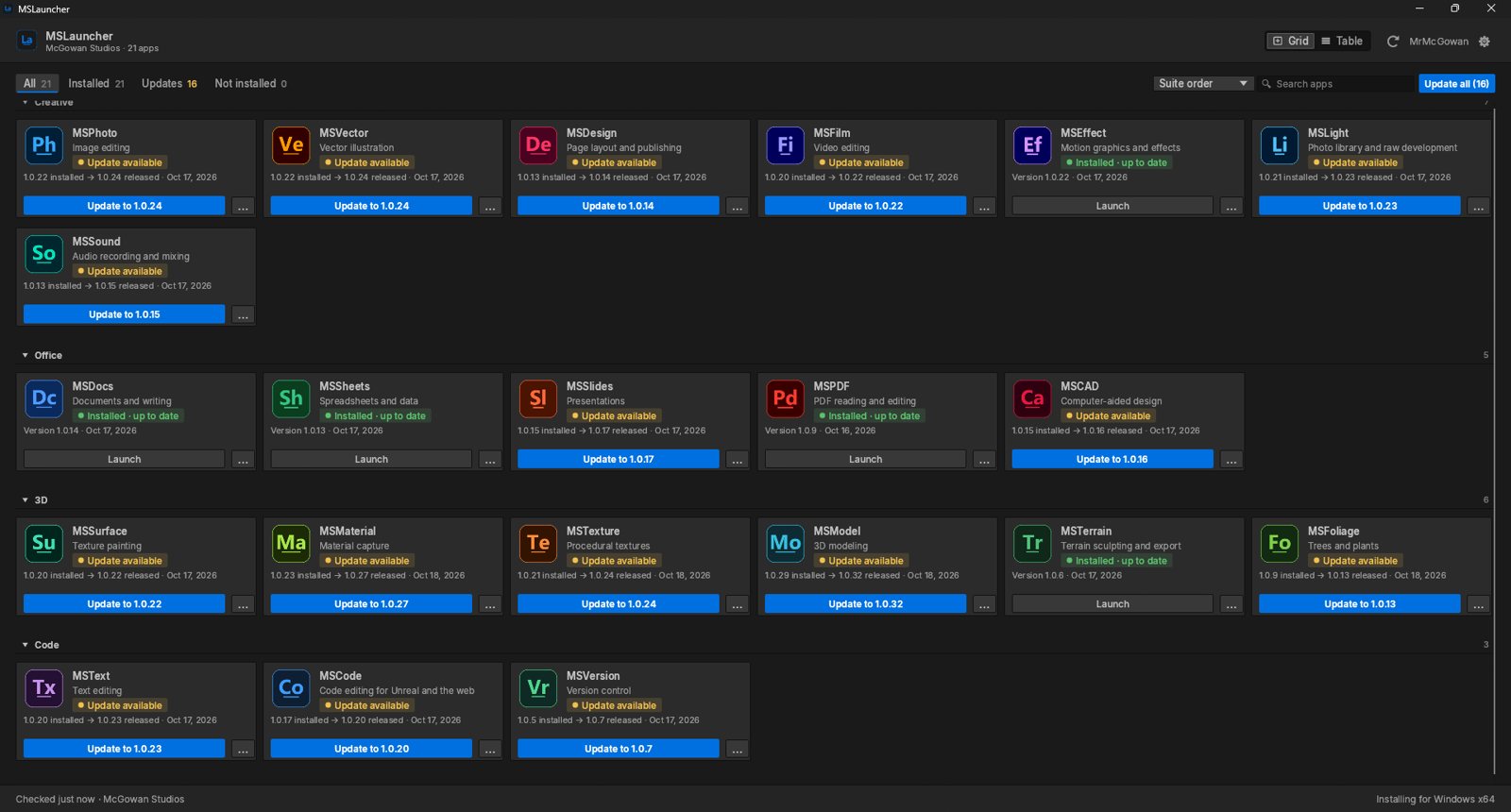
Every app in one place
Apps grouped by category, each with its own install, update or launch button, plus search and Update all.
Everything in MSLauncher
Your apps
- All twenty-one Suite apps in one window
- Four groups: Create, Office, 3D and Code
- Grid view or table view
- Each app shows its own icon
- Installed and latest version side by side
- Release notes for every update
Install
- Silent per-user install, no admin prompt needed
- Finds apps already on your computer
- Launch any installed app from the list
- Remove an app with its own uninstaller
Update
- Update all with one button
- Updates download in parallel
- Installers run one at a time, safely
- MSLauncher updates itself the same way
- Restart to update when you choose
- Opt in to pre-releases in Settings
Downloads
- Progress bar on every download
- Pause, resume or cancel any download
- Every chunk and the whole file are verified
- Resumes after a restart or dropped connection
Account
- Sign in once with your Suite account
- Your password is never stored
- Session kept in a user-only file
Settings
- Update checks and notifications
- Light and dark theme
- Keep running in the tray
- Start at login
Install MSLauncher once and keep the whole Suite current.
Monthly
$5 / month
All 22 apps
30-day free trial
Yearly Save 20%
$48 / year
All 22 apps
30-day free trial