 MSCode
Write Unreal C++ with real code intelligence
MSCode is a fast code editor built around Unreal Engine projects, with Python and web editing for the sites around them. It brings clangd and pyright to your project and connects your code to your assets.
Real Unreal intelligence
clangd runs on your project's own build database, so completion, definitions and errors match what the compiler sees.
Code meets assets
Find Blueprints deriving from the class under your caret, or every asset that references one, and hand assets to the MS tools.
Build without leaving
Build the editor target, read errors as clickable lines, and launch the Unreal Editor from the toolbar.
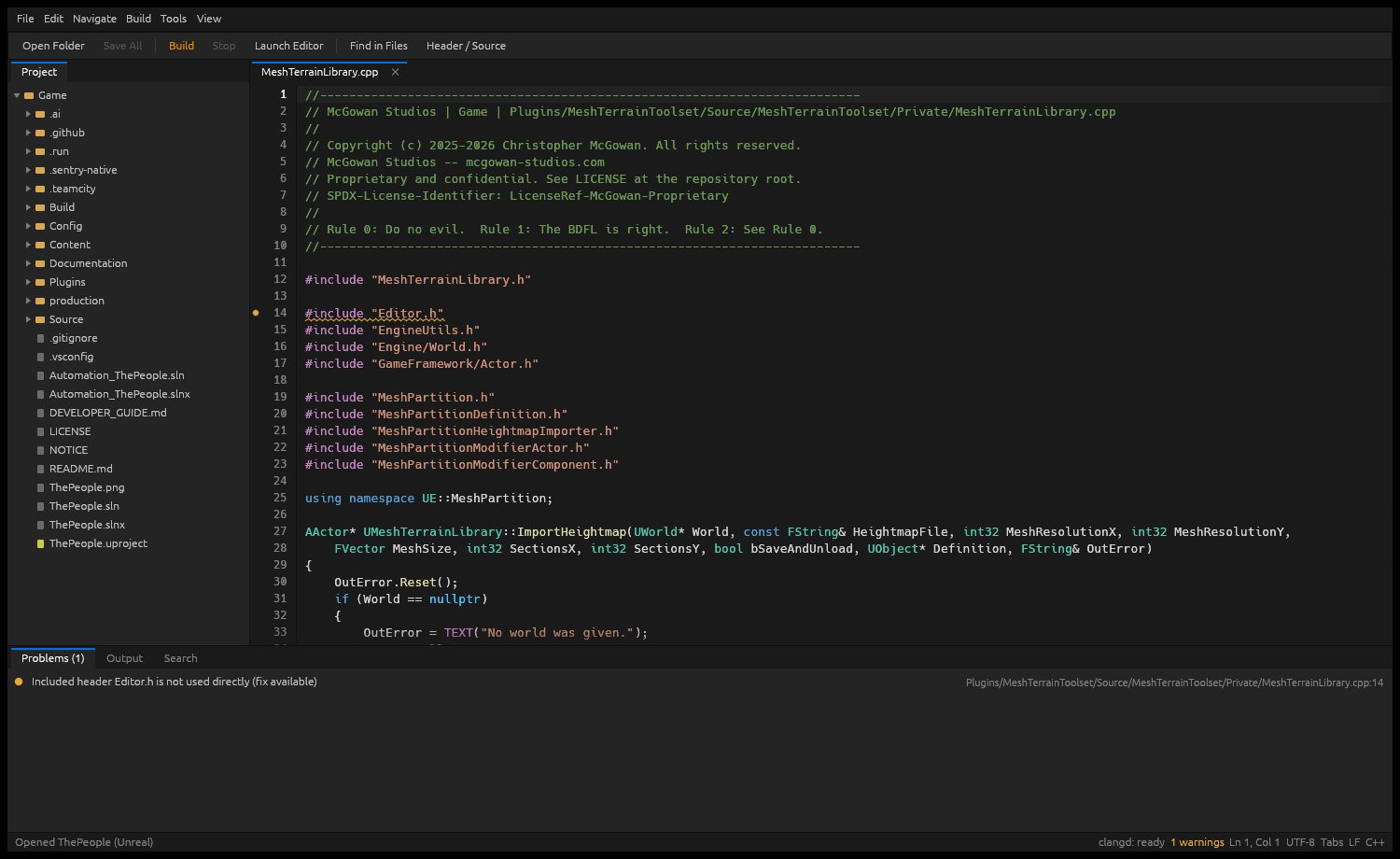
An Unreal project, opened
Project tree on the left, a C++ file with highlighted includes and macros, a clangd warning in the Problems panel, and the status bar showing server state.
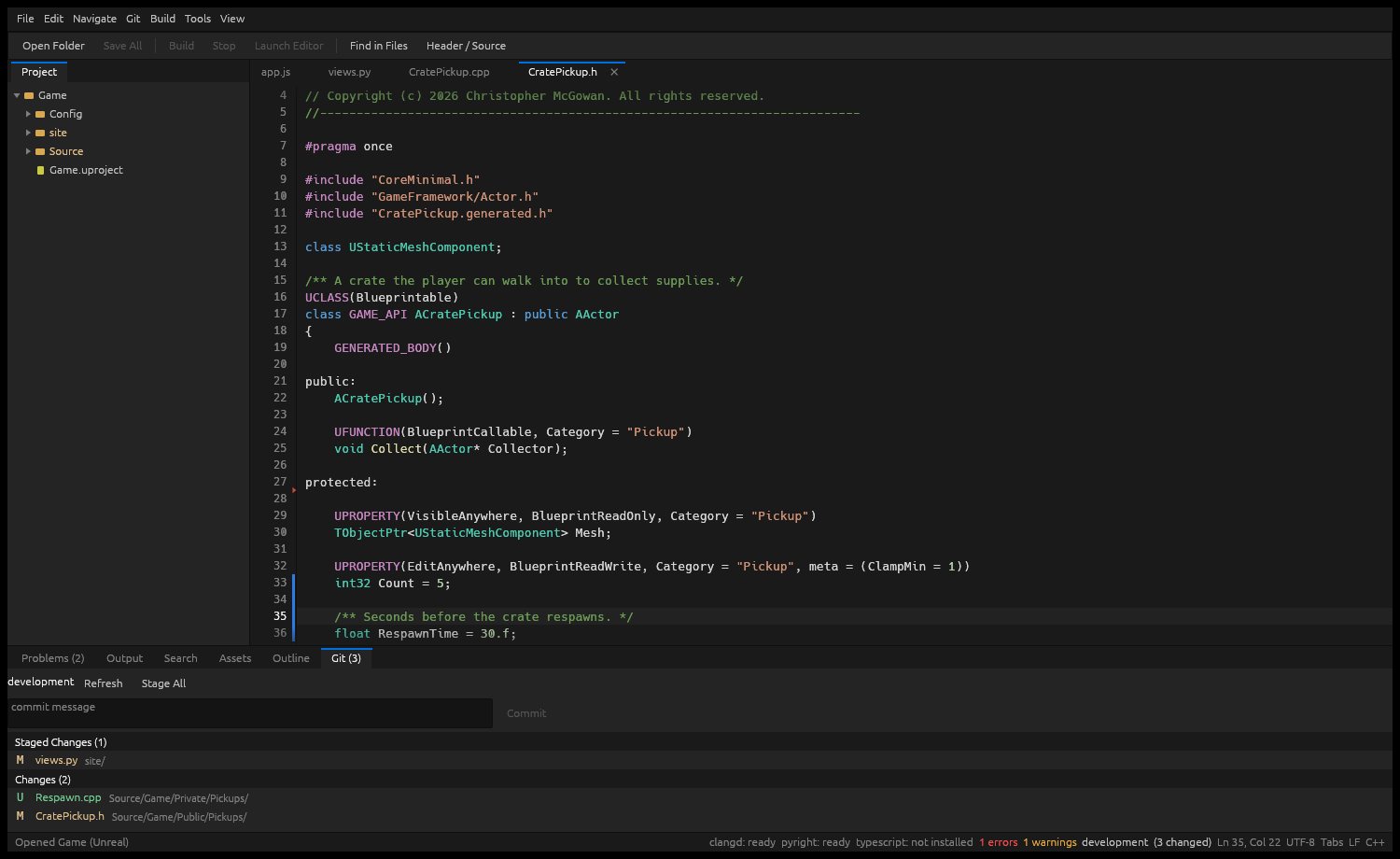
UCLASS and UPROPERTY, coloured
Header open with Unreal macros highlighted, git change bars in the gutter, and the Git tab listing staged and changed files above a commit box.
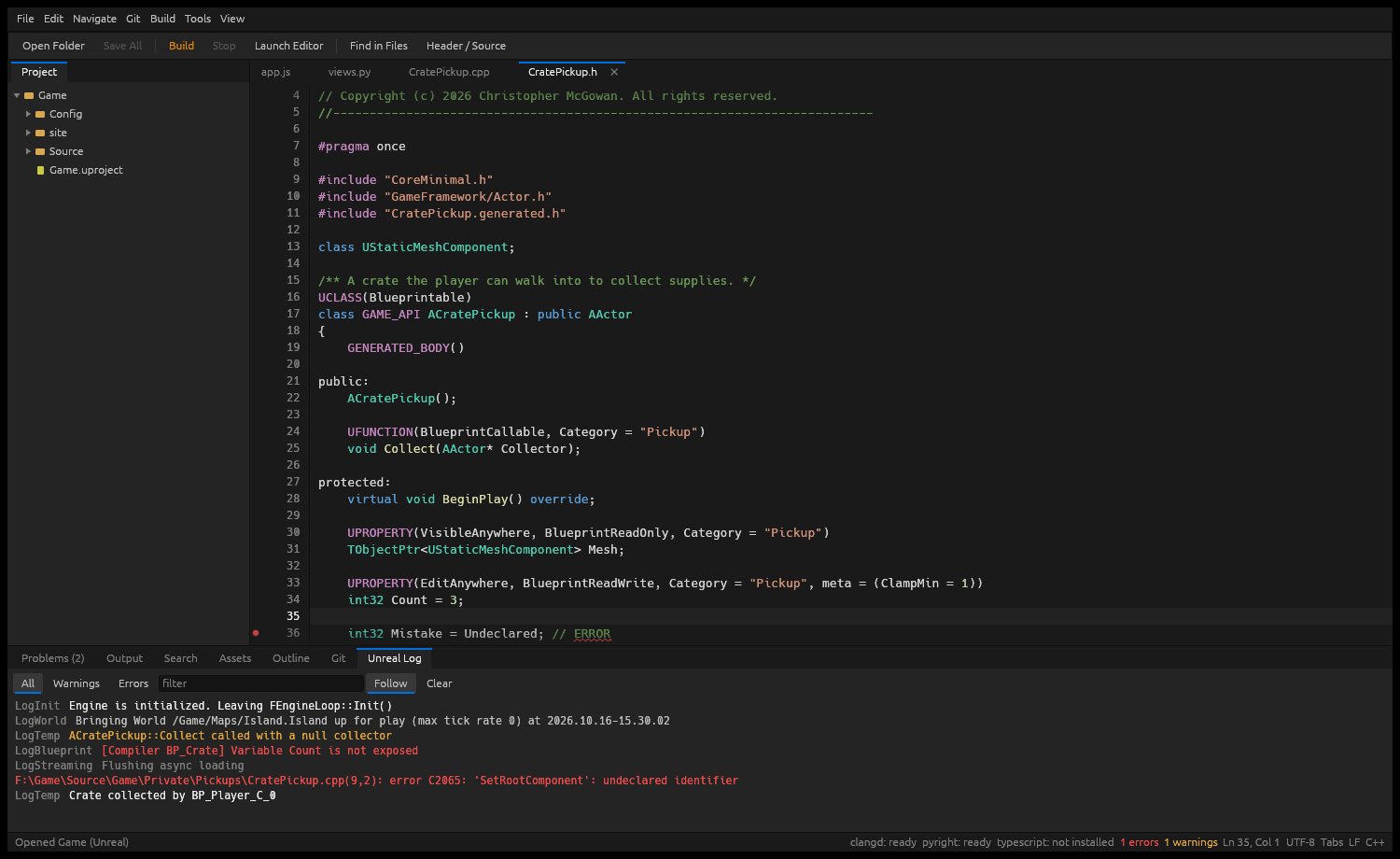
Follow the Unreal log
The Unreal Log tab streams the editor log with All, Warnings and Errors filters, a text filter, Follow and Clear; compiler errors stand out in red.
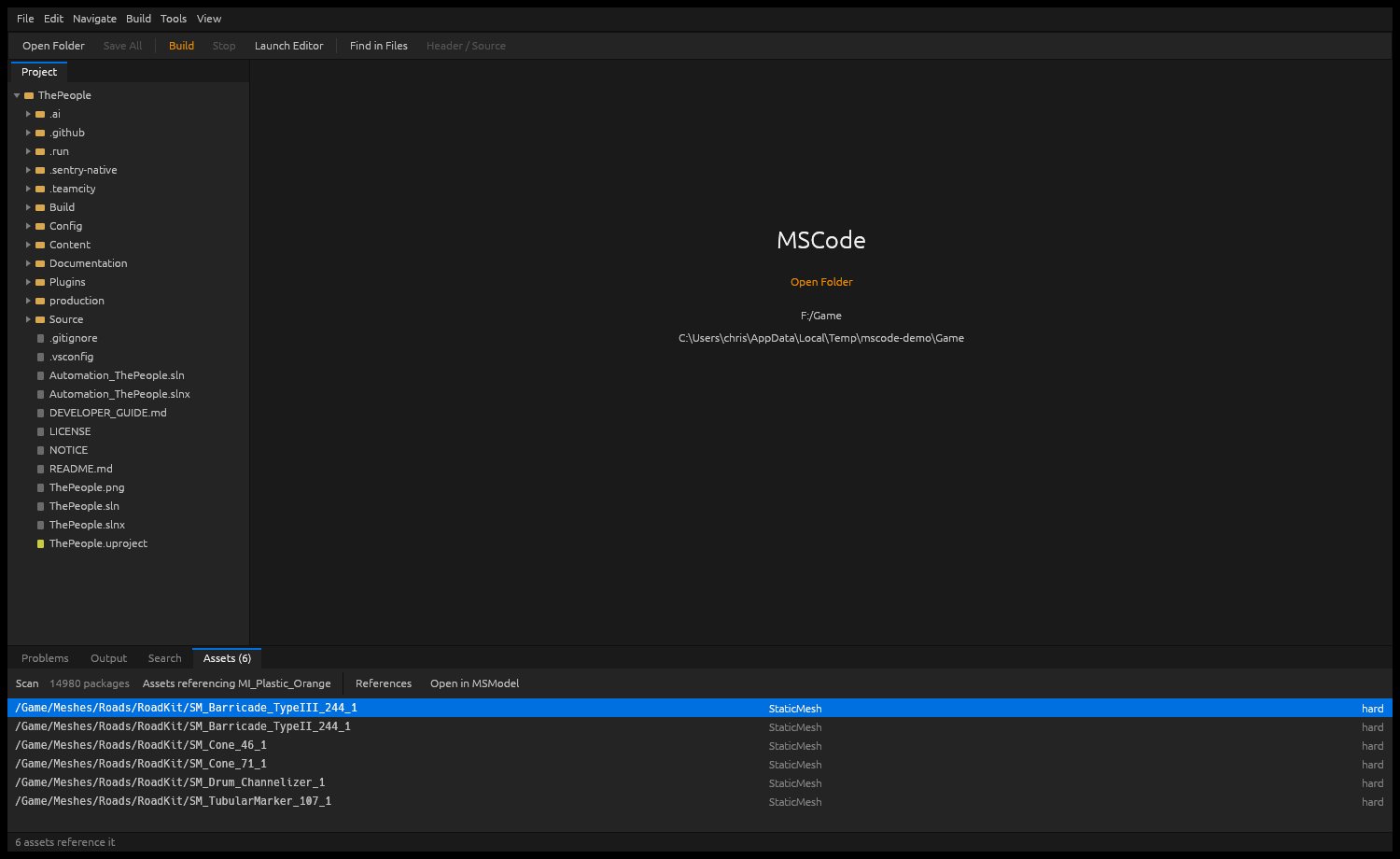
Assets beside your code
The Assets tab lists every asset that references a chosen material, with its type and reference kind, plus Open in MSModel from the same row.
Everything in MSCode
Unreal C++
- clangd on the compile database UnrealBuildTool generates
- UCLASS, UPROPERTY and friends coloured as macros
- Specifier completion inside UPROPERTY, UFUNCTION and meta
- Switch between header and source in one click
- New-class templates that match your module
- Edit Build.cs dependencies from the editor
- Builds with clickable compiler errors
- Include insertion when you accept a completion
Unreal tools
- Launch the Unreal Editor from the toolbar
- Follow Saved/Logs live, filter by level and text
- Browse modules and toggle plugins in the Unreal tab
- Highlight and fold .ini config files by section
- Find Blueprints deriving from a C++ class
- Find every asset that references an asset
- Open assets in MSModel, MSSurface, MSMaterial, MSTexture
- Read .uasset and .umap headers without the editor
Navigate
- Go to definition, find usages, hover and signature help
- Go to Symbol across the project with Ctrl+T
- Outline of the file's symbols, current entry highlighted
- Quick open and a command palette
- Find in Files that skips binaries instantly
- Next problem, plus error marks on the scrollbar
- Inlay hints you can toggle on or off
Refactor
- Rename a symbol across files with F2
- Quick Fix from the language server with Ctrl+.
- Format the document through the server
- Replace in Files with match case, whole word and regex
- Regex replacements expand $1 and named groups
- Failed multi-file edits roll back, nothing half-written
Edit
- Multi-cursor: Alt+click, next occurrence, select all
- Split the editor into two panes side by side
- Code folding with gutter chevrons
- Move lines up and down, toggle comments
- Bracket pairing and matching
- Undo that groups typing runs sensibly
- Line endings and BOM stay exactly as they were
- Reopens your files, carets and unsaved edits
Python and web
- pyright for Python completion and diagnostics
- TypeScript, HTML, CSS and JSON language servers
- Django-aware project detection
- csharp-ls for Build.cs and Target.cs files
- Install language servers from the Tools menu
- Git tab: stage, commit, branch, push, pull