 MSVersion
Source control that understands game assets
MSVersion is a Git client for Unreal projects, with GitHub and Gitea accounts built in. See your changes, your history and your branches, and preview textures and 3D models without leaving the window.
Preview your assets
Click a file to see it: images, 3D models you can orbit, Markdown, text, or a hex view of anything else.
Stage by hunk
Stage by file or by hunk, commit, amend, discard and stash, with the diff or a preview beside the list.
Read your history
A lane graph shows every branch with labels, the files in each commit and a before-and-after preview.
MSVersion
Review changes
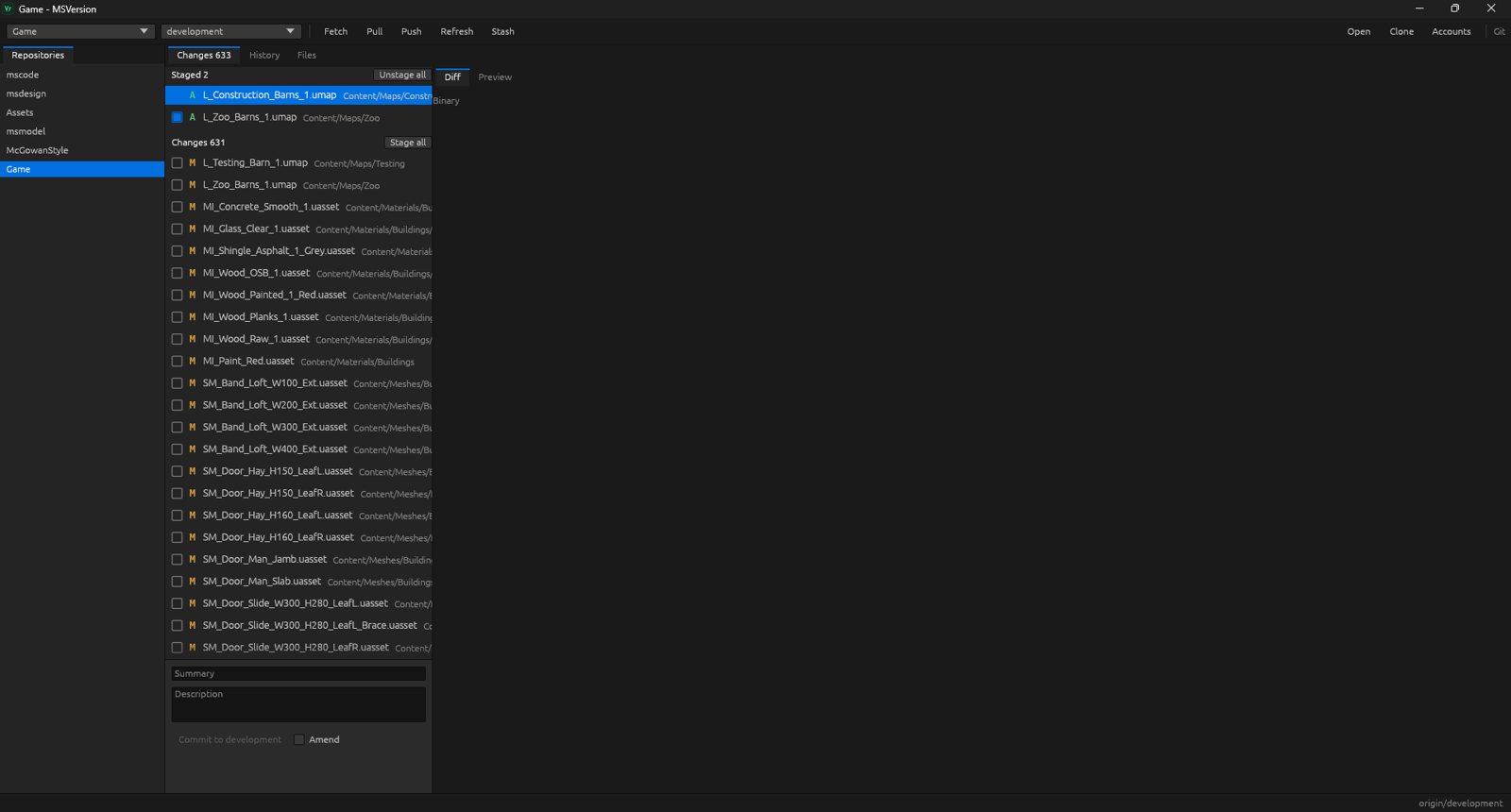
Repositories on the left, changed files with checkboxes in the middle, and the commit summary box below.
Everything in MSVersion
Previews
- Preview PNG, JPEG, TGA, TIFF, WebP, EXR, HDR and DDS
- Orbit, pan and zoom glTF, GLB, OBJ, FBX and STL models
- Render Markdown and plain text in place
- Hex view for any file the window can't show
- Before and after preview for a file in a commit
- Git LFS pointers resolve to the real file
Changes
- Stage and unstage per file, per hunk, or all
- Commit with a message and a description
- Amend the last commit
- Discard changes, with a confirmation first
- Stash, including untracked files
- Apply or drop stashes later
- Diff or preview for the selected file
History
- Lane graph of every branch
- Branch and tag labels on each commit
- See the files changed in any commit
- Cherry-pick a commit from its menu
- Revert a commit from its menu
- Tag a commit, or copy its hash
- Abort a merge, cherry-pick or revert that hit conflicts
Branches
- Check out an existing branch
- Create a new branch
- Merge a branch into the current one
- Delete a branch once it is merged
- Ahead and behind counts against the remote
Remotes
- Sign in to GitHub or a Gitea server with a token
- Clone from your own repositories
- Fetch, pull and push
- Works with any git remote
- Open a folder from the command line
Files
- Browse the working tree
- Browse the files of any past commit
- Preview what is inside each file
- Errors get a short label, with git's full text in a log file
Open your project in MSVersion and see every change.
Monthly
$5 / month
All 23 apps
30-day free trial
Yearly Save 20%
$48 / year
All 23 apps
30-day free trial