 MSDocs
Write, design and share real documents.
MSDocs is a word processor with a ribbon, live styles, tables, track changes, references and mail merge. It opens and saves DOCX files and exports PDF with selectable text.
Your files, your formats
Open and save DOCX, plus ODT, RTF, HTML, Markdown and plain text. Export PDF with real, selectable text, links and bookmarks.
Review together
Track changes, comment balloons in the margin, accept and reject, compare documents, spelling and grammar as you type.
Fast on long documents
Paragraph layout is cached, so typing in a 188-page document re-lays it out in about 1.4 ms. Spelling and grammar work offline.
Pictures, tables and styles
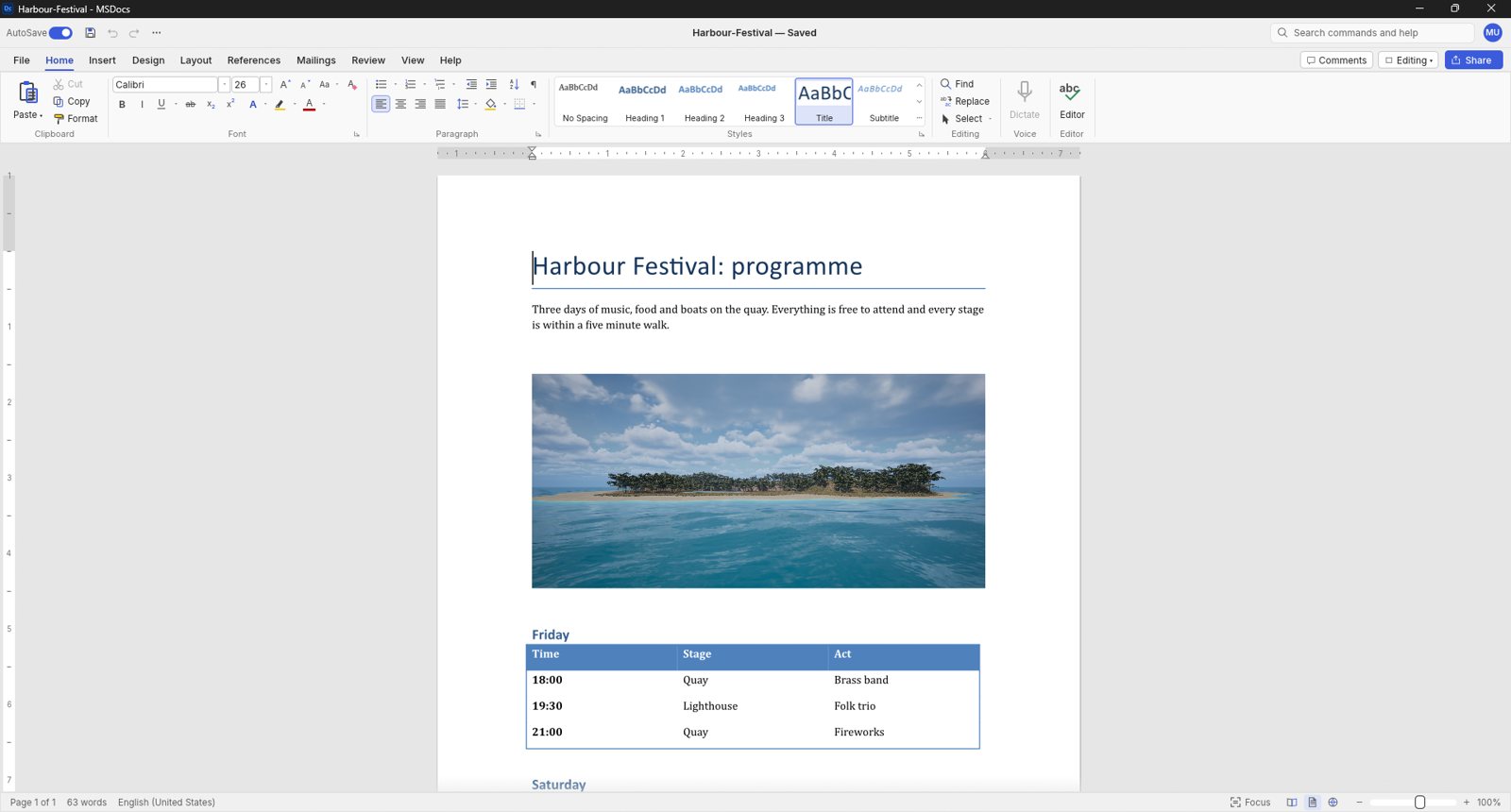
A page with a title, a picture and a formatted table, under a ribbon with Home, Insert, Design, Layout, References, Mailings and Review.
Headings and lists
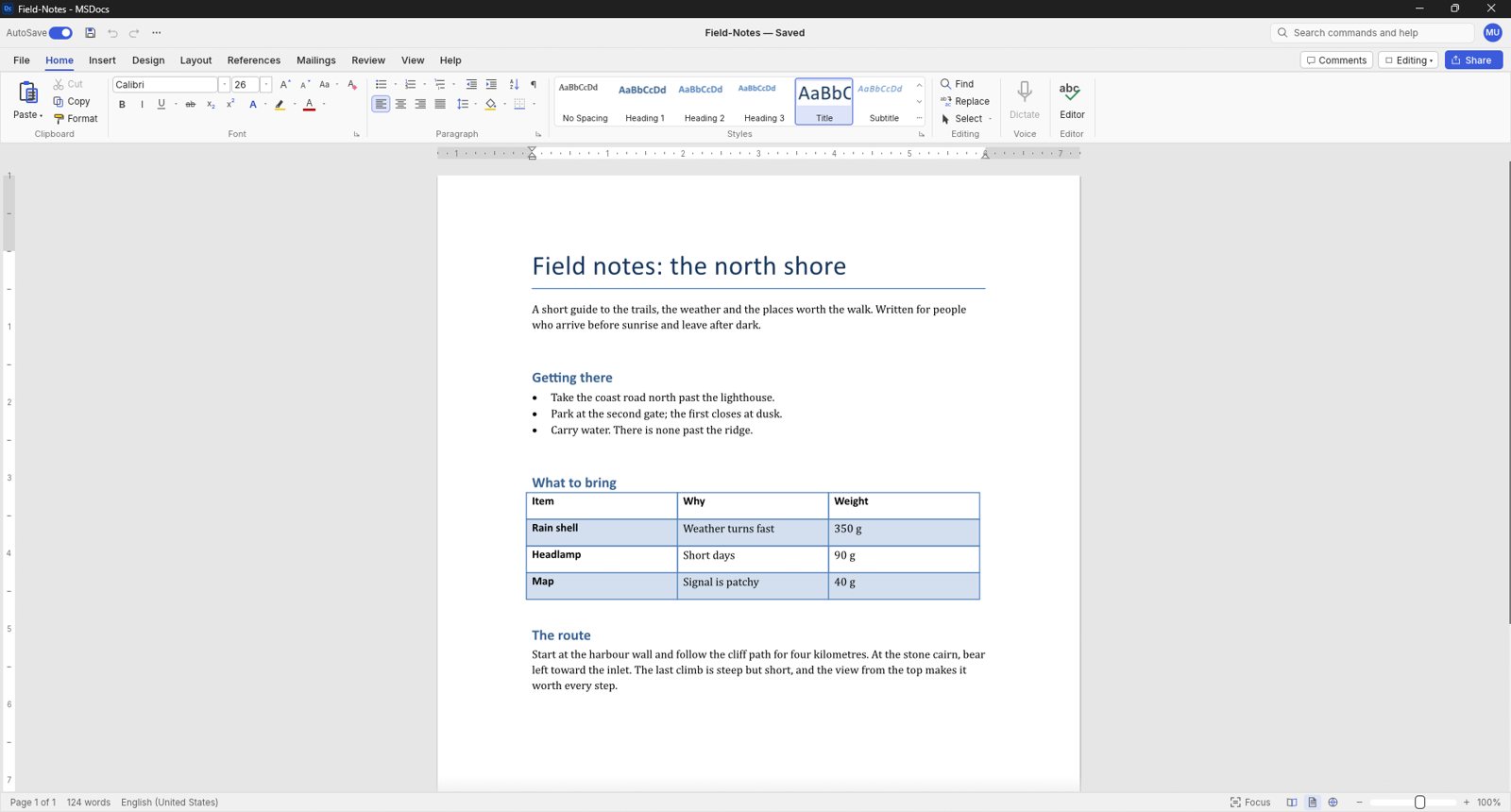
A document with headings, a bulleted list and a table, with the Styles gallery and Editor tools in the ribbon.
Everything in MSDocs
Writing
- Smart quotes, AutoCorrect and list autoformat
- Find and replace with regular expressions
- Format Painter, Change Case and Clear Formatting
- Live Styles gallery with create and modify
- Themes and style sets
- Dark mode and formatting marks
Layout
- Margins, orientation, size and columns
- Drop caps and automatic hyphenation
- Headers and footers, first-page and odd/even
- Watermarks, page colour and page borders
- Line numbers and vertical alignment
- Print, web, draft and read views
Tables & Objects
- Insert tables by grid, merge and split cells
- Banded table styles and repeating header rows
- Sort and formulas in tables
- Pictures with crop, recolour and background removal
- Shapes and text boxes
- Text wrapping around pictures and shapes
References
- Table of contents with dotted leaders
- Footnotes and endnotes
- Citations and bibliography in APA, MLA, Chicago or IEEE
- Captions, table of figures and cross-references
- Index and table of authorities
Review
- Track changes with accept and reject
- Comments in margin balloons or a pane
- Compare documents
- Spelling, grammar and thesaurus
- Accessibility checker and document inspector
- Restrict editing
Mailings & Files
- Mail merge from CSV with merge fields
- Address block, greeting line and rules
- Envelopes and labels
- Reads and writes DOCX, ODT, RTF, HTML and Markdown
- Exports PDF and page images
- Interface in English, Chinese and Japanese