 MSPhoto
Edit images in layers, with real PSD
MSPhoto is a native image editor with layers, masks, adjustment layers, live type and vector shapes. It opens and saves layered PSD files, for photographers and designers who want speed.
Edit without regret
Stack Levels, Curves, Vibrance and more as live adjustment layers. Mask them, reorder them, switch them off. Your original pixels never change.
Real PSD files
Open, edit and save layered PSD files.
Styles and live type
Drop shadows, glows, bevels and strokes work on any layer, including editable type that round-trips through PSD.
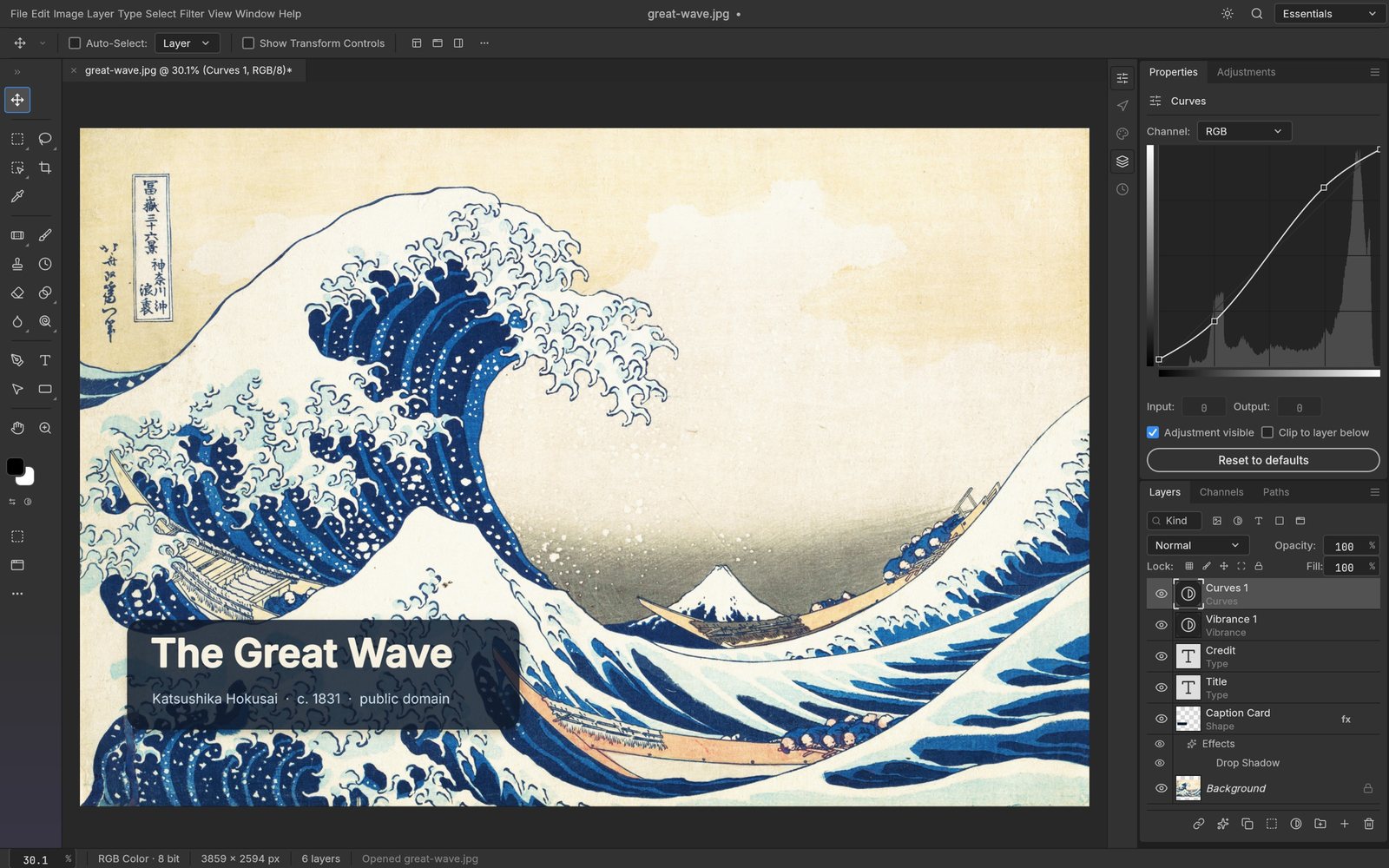
Layers, type and curves
Toolbox on the left, Curves editor over a live histogram in Properties, and a Layers panel with type, shape, adjustment layers and a drop shadow.
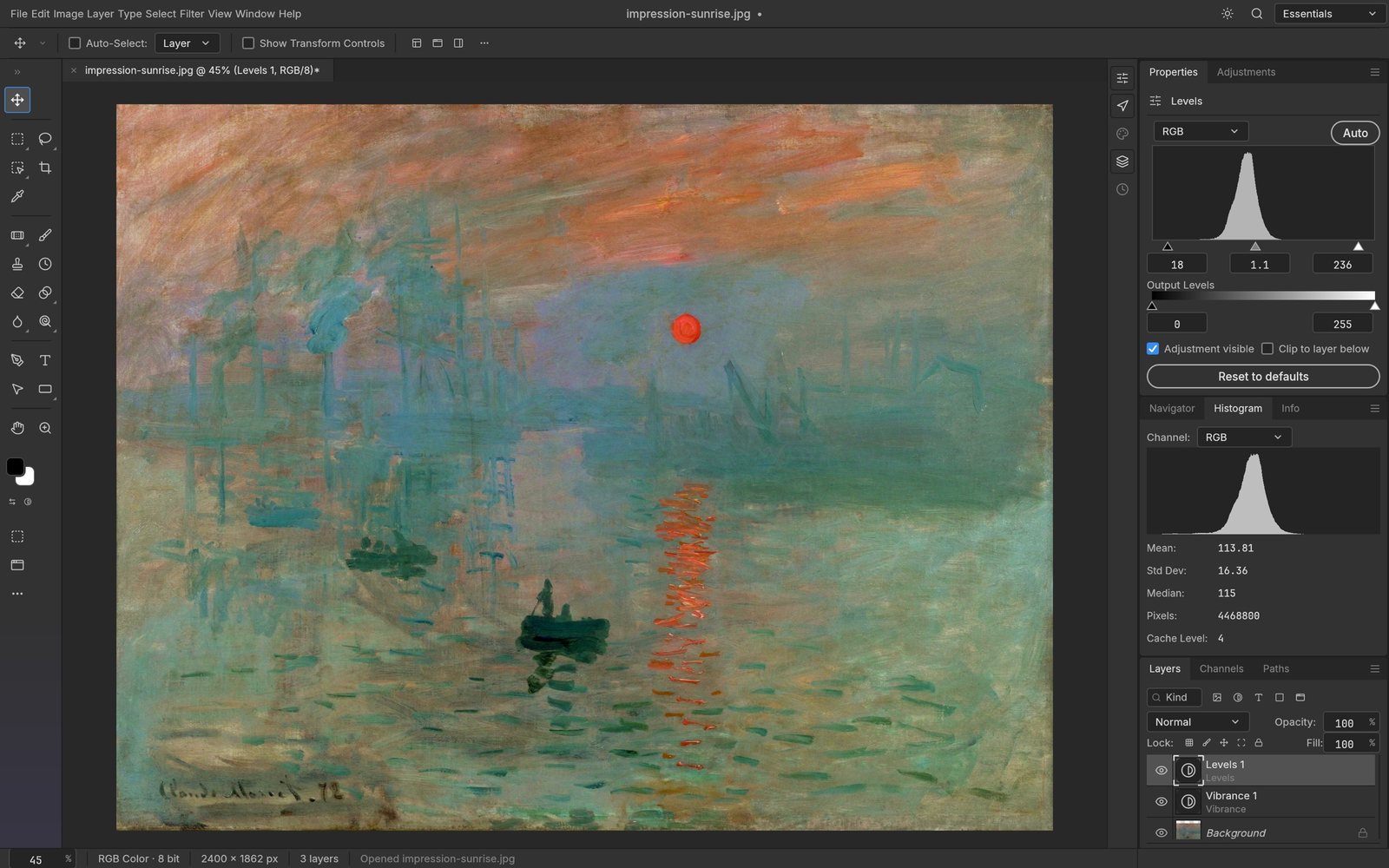
Levels with live histogram
A Levels adjustment layer with input and output sliders, the Histogram panel showing mean, standard deviation and median, and the Layers panel below.
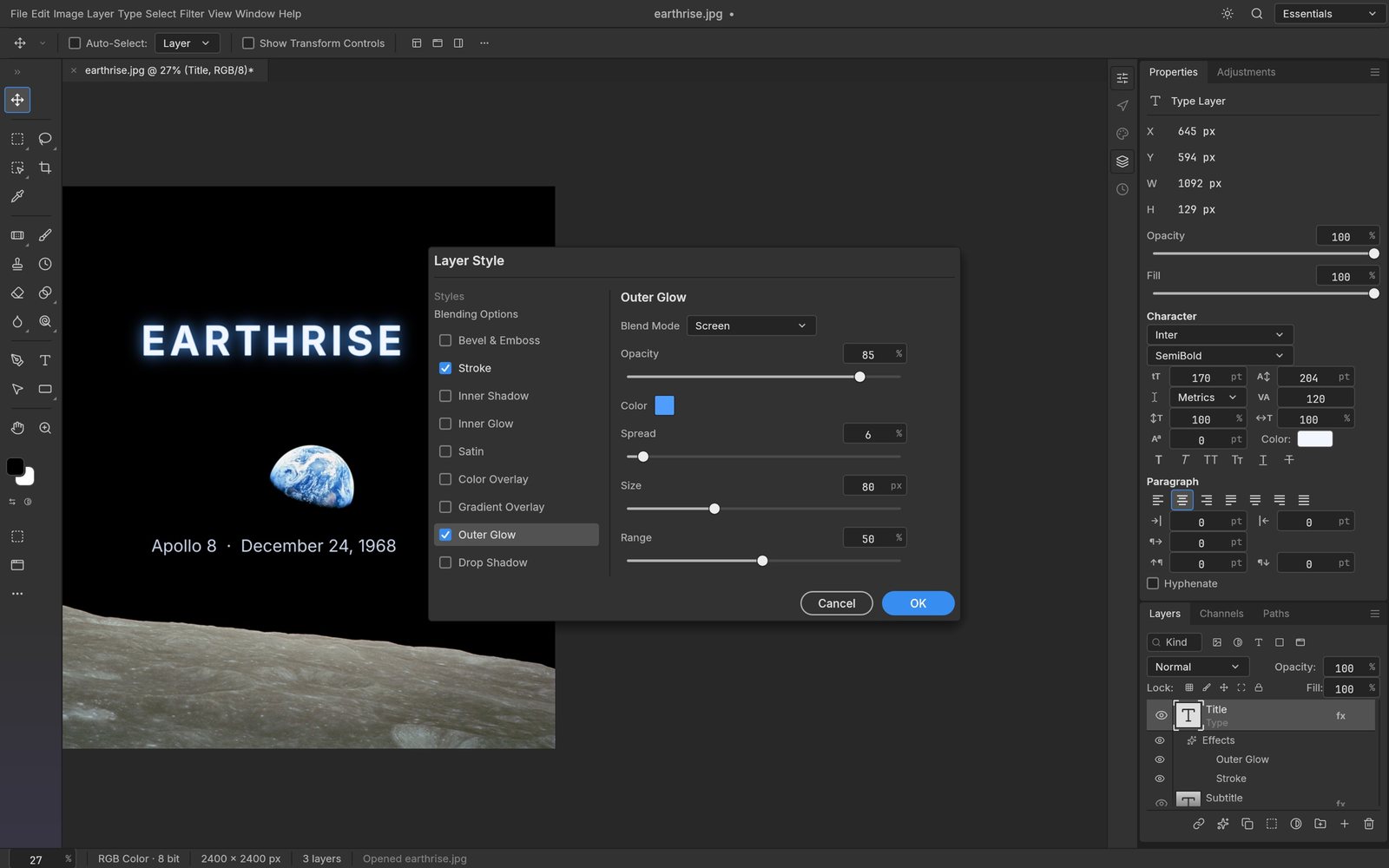
Layer Style dialog
Outer Glow and Stroke on a type layer, with the style list, blend mode and sliders, beside the Character and Paragraph controls.
Shape layers and paths
A badge built from shape layers with gradient fill, the lotus path's anchor points selected, and appearance controls for fill and stroke.
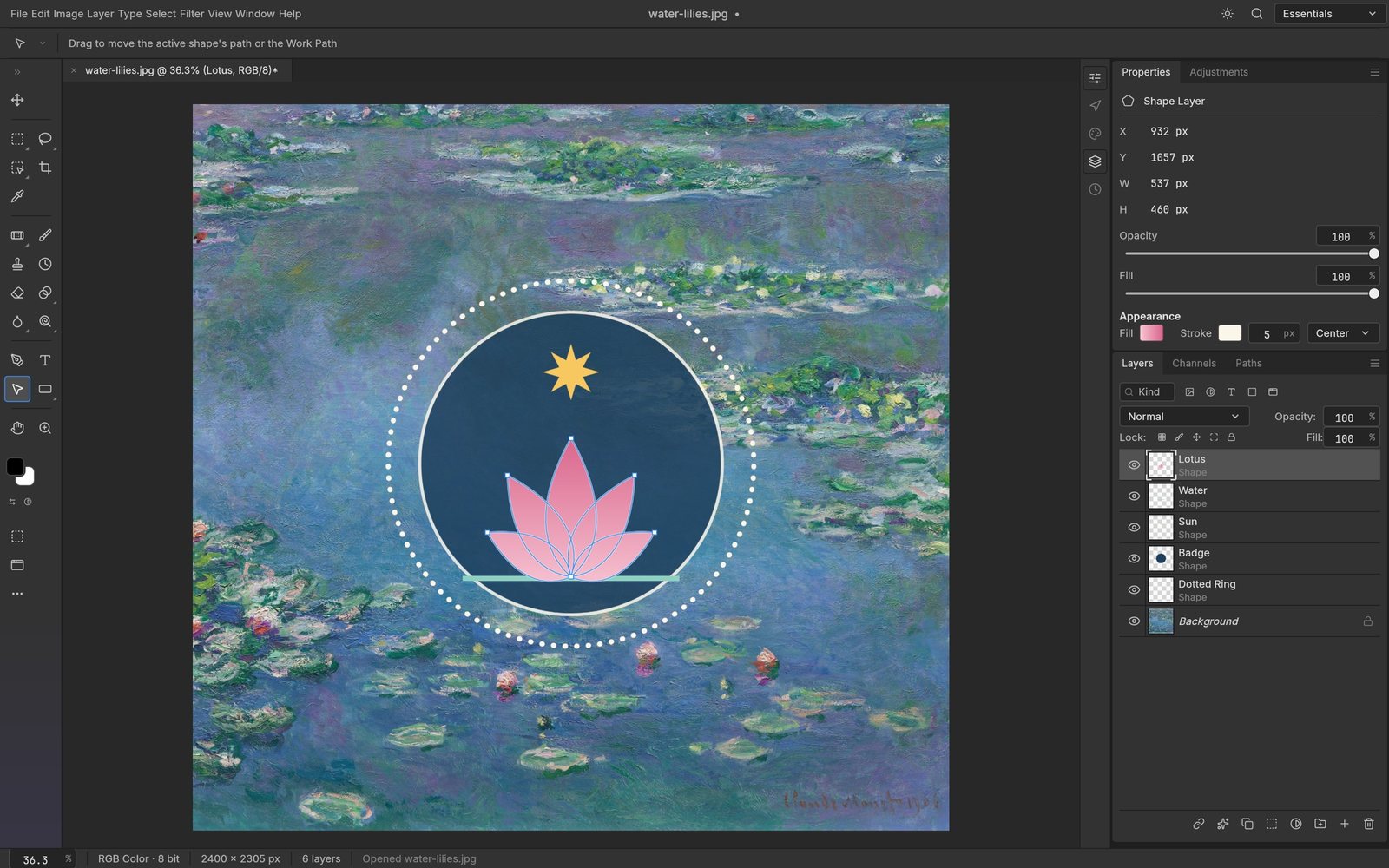
Everything in MSPhoto
Layers
- Groups, clipping masks, pixel and vector masks
- Fill layers: solid, gradient and pattern
- Live smart objects with editable smart filters
- 27 blend modes plus six extra variants
- Opacity, fill, locks, colour labels, layer filters
- Align, distribute and link multiple layers
- Alpha channels and Quick Mask
Adjust
- 16 adjustment layers that also apply to pixels
- Curves with per-channel editing
- Levels with a live histogram
- Color Lookup tables: .cube, .3dl and .look
- Selective Color, Gradient Map and Channel Mixer
- Shadows/Highlights, Match Color and HDR Toning
- Auto Tone, Auto Contrast and Auto Color
Select
- Marquees, lassos and the Magic Wand
- Quick Selection, Object Selection and Select Subject
- Select and Mask for hair-fine edges
- Feather, expand, contract, smooth and grow
- Turn any selection into a mask, path or shape
- Smart selection runs on your machine
Paint
- Brush engine with Shape Dynamics and Scattering
- Pen pressure, tilt, rotation and direction
- Mixer Brush, Clone Stamp and Healing Brush
- Patch, Content-Aware Move and Red Eye tools
- Dodge, Burn, Sponge and Smudge
- Define a brush from any selection
- Replayable, deterministic brush strokes
Type & vector
- Point and paragraph text edited on the canvas
- Character and Paragraph controls
- Pen tool and resolution-independent shape layers
- Unite, subtract, intersect and exclude shapes
- Dashed and aligned strokes with gradient fills
- Paths panel and vector masks
Filters
- Every filter previews live through your selection
- Gaussian, Motion, Radial, Lens and Surface blurs
- Tilt-Shift, Iris, Field, Spin and Path blurs
- Twirl, Wave, Ripple, Displace and Shear
- Oil Paint, Wind, Clouds and Lens Flare
- Smart filters stay editable on smart objects
- Reduce Noise and sharpening
Color & files
- RGB, Grayscale, CMYK and Lab documents
- 8, 16 and 32 bits per channel
- ICC profiles, soft proofing and gamut warning
- PSD, PSB, layered TIFF and SVG
- PNG, JPEG, WebP, GIF, OpenEXR and HDR
- Actions record and replay across a folder