 MSMaterial
Turn downloaded textures into finished materials
Drop a texture pack or a single photo on MSMaterial. It sorts the maps, makes them tile, builds any that are missing, and sends the result to MSSurface or Unreal Engine.
3
Seamless tiling methods
24
Layers in a material stack
3
Preview shapes
Drop in a pack
Each image is filed by its name as base colour, normal, height, roughness, metallic or occlusion. Nested downloaded packs open from the folder.
Seamless tiling
Remove the wrap seam while keeping detail, cross-fade, or blend stochastic patches so big stones and bricks do not repeat.
Missing maps made
Start from a plain photo. MSMaterial makes the height, normal, roughness and occlusion maps from the base colour.
MSMaterial
Scan a surface
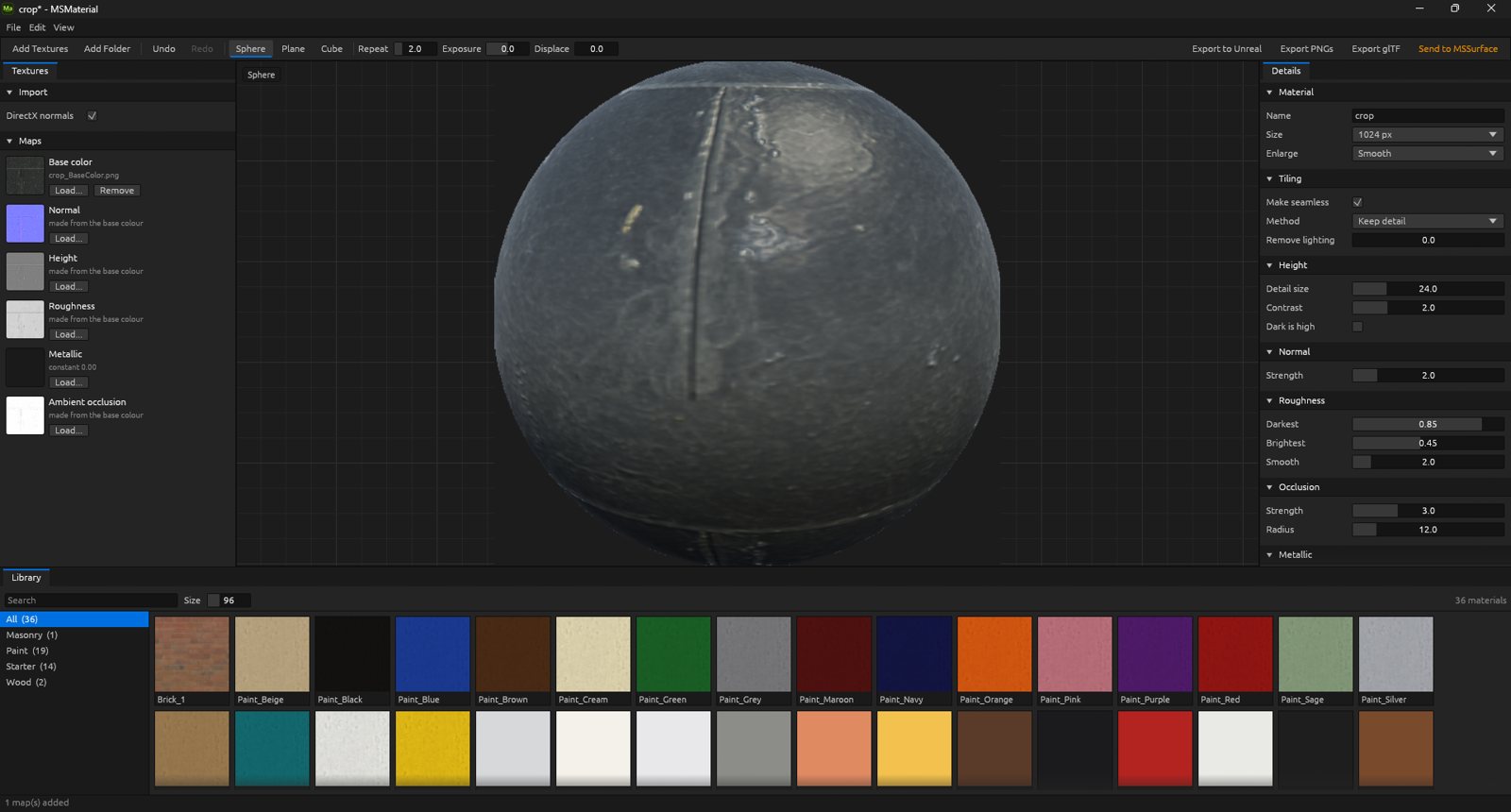
A base colour map loaded onto the preview sphere, with map slots and detail controls beside it and the material library below.
Everything in MSMaterial
Import
- Drop a texture pack or a single photograph
- Maps sorted by file name automatically
- Reads base colour, normal, height, roughness and metallic
- Reads gloss, ambient occlusion and packed ORM maps
- Replace any supplied map with a made one
Tiling
- Keep detail: removes the seam, keeps direction
- Cross-fade tiling
- Large features: patch blend for stones and bricks
- Set patch count and seed
- Flatten uneven lighting
- Every map shares one layout
Adjust
- Hue, saturation, brightness, contrast and levels
- Per-map levels with invert for height and roughness
- Normal strength scale
- Missing maps made from base colour
- Undo and redo for settings and textures
Layers
- Stack up to 24 layers over the base material
- Material layers from library or smart material files
- Fill layers for colour, roughness, metallic and height
- Presets: cracks, edge wear and grime
- Masks from noise, crack lines or the height below
- Height blend lets taller surfaces win at edges
Preview
- Preview on a sphere, plane or cube
- Orbit, zoom, repeat and exposure controls
- Displace slider moves real geometry by height
- View any single map, tiled
Library & output
- Material library dock with search and swatches
- Save materials as reusable files
- Send to the MSSurface shelf as a smart material
- Write PNGs for Unreal Engine or glTF
- Export to Unreal Engine with folders stored in the file
- Batch-build library entries from the command line
Drop in a texture pack and make it yours.
Monthly
$5 / month
All 22 apps
30-day free trial
Yearly Save 20%
$48 / year
All 22 apps
30-day free trial